1. ai bind9 geoip-database
  2. vim /etc/bind/named.conf.options
  3. vim /etc/bind/named.conf.local
  4. mkdir /var/log/named/
  5. chown -R bind:bind /var/log/named/
  6. sc-restart named.service
  7. t /var/log/named/*

🛍 DNS-Referenz-Setup (ns1.dynproxy.net – 23.88.113.138)

🔐 Rollenverteilung

  • Autoritativer DNS-Server für:
    • dynproxy.net
    • bubuit.net
  • Lokaler Resolver für:
    • 127.0.0.1

📜 Wichti

Tags

Diese Seite dokumentiert die eigentliche dnsbl-ipset-Engine (FireHOL dnsbl-ipset.sh), die in Echtzeit IP-Adressen gegen verschiedene DNS-Blocklisten prüft und in ein ipset schreibt.

== Ziel

  • Verdächtige Verbindungen aus dem Firewall-Log (ulogd) in Echtzeit gegen DNSBLs prüfen
  • Treffer automatisiert in ein ipset schreiben
  • iptables-Regeln verwenden dieses ipset, um IPs temporär zu blocken

== Komponenten

Tags
  1. https://github.com/firehol/firehol/wiki/dnsbl-ipset.sh
  2. /usr/share/doc/firehol-tools/examples/contrib/dnsbl-ipset.sh

/etc/firehol/firehol.conf

# dnsbl
ipset4 create dnsbl hash:ip timeout 1209600 maxelem 500000 prevent_reset_on_restart comment

action4 AUDIT_ACCEPT \
    action ACCEPT state NEW log "AUDIT" \
    next action ACCEPT

blacklist4 full inface "${wan}" ipset:dnsbl \
	except src ipset:whitelist

leider waren auch viele Letsencrypt

DNSBL / dnsbl-ipset Auswertung 

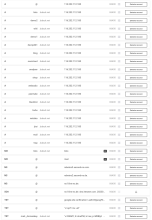
Diese Seite beschreibt das Auswertescript für dnsbl-ipset,     
das auf dem Server wöchentlich Top-Statistiken aus `matches.log` erzeugt und per Mail verschickt.

Zweck Das Script verarbeitet die von `dnsbl-ipset.sh`     
erzeugte Datei `/var/log/dnsbl-ipset/matches.log`     
und erstellt daraus wöchentliche Reports:
Tags

/etc/hosts @lxc-host

127.0.0.1	localhost			localhost.localdomain
PUBLIC-IP	HOSTNAME.DOM.TLD	HOSTNAME
10.0.3.ip	peertube.DOM.TLD	peertube
10.0.3.ip	webradio.DOM.TLD	webradio
10.0.3.ip	jitsi.DOM.TLD		jitsi
10.0.3.ip	lists.DOM.TLD		lists
10.0.3.ip	drupal.DOM.TLD		drupal
10.0.3.ip	owncloud.DOM.TLD	owncloud

/etc/hostname

jitsi
  1. hostname -F /etc/hostname
  2. hostnamectl status
  3. hostnamectl set-hostname jitsi
  4. hostname --fqdn
    • jitsi.bubuit.net
Tags
#!/bin/zsh
# Version 01.0
# Script to test DNS zone propagation across ns1, ns2, and ns3
# Script Name: test_ns_zones.sh

# Variables
NS1="23.88.113.138"
NS2="116.202.112.180"
NS3="95.216.198.140"

# Check if a domain name argument is provided
if [ -z "$1" ]; then
	echo "Usage: $0 <domain.tld>"
	exit 1
fi

DOMAIN=$1

# Function to test a DNS query
function test_ns {
	local NS=$1
	echo "
=== Testing $DOMAIN on $NS ==="
	dig @$NS $DOMAIN SOA +short
echo ""
	echo "MX Record:"
	dig @$NS $DOMAIN MX +short
echo ""
	echo "A Record for mail.$DOMAIN:"
	dig @$
Tags
#!/bin/zsh
# Version 01.0
# Script to add a new zone to /etc/bind/named.conf.local on ns1.dynproxy.net
# Script Name: bind_add_zone.sh

# Variables
NAMED_CONF="/etc/bind/named.conf.local"
ZONES_DIR="/etc/bind/zones"

# Check if a domain name argument is provided
if [ -z "$1" ]; then
	echo "Usage: $0 <domain.tld>"
	exit 1
fi

DOMAIN=$1
ZONE_FILE="$ZONES_DIR/db.$DOMAIN"

# Check if the zone file already exists
if [ -f "$ZONE_FILE" ]; then
	echo "Zone file $ZONE_FILE already exists.
Tags
  1. https://docs.hetzner.com/de/dns-console/dns/general/recursive-name-servers/
  2. https://linuxhint.com/install_dig_debian_9/

vim /etc/dnsmasq.conf

cache-size=10000
# neg-ttl=3600

interface=lxcbr0
bind-interfaces

vim /etc/resolv.conf

nameserver    10.0.3.1

domain bubuit.net
search bubuit.net

nameserver DN
Tags
#!/bin/sh
# =============================================================================
# Script Name: hostname_update.sh
# Version: 1.1
# Author: Andreas Fleckl
# Description: This script retrieves the public IP address, performs a reverse 
#              DNS lookup, updates the system's hostname, and restarts the 
#              Postfix service.
Tags